





Play Azeroth Survivors Online
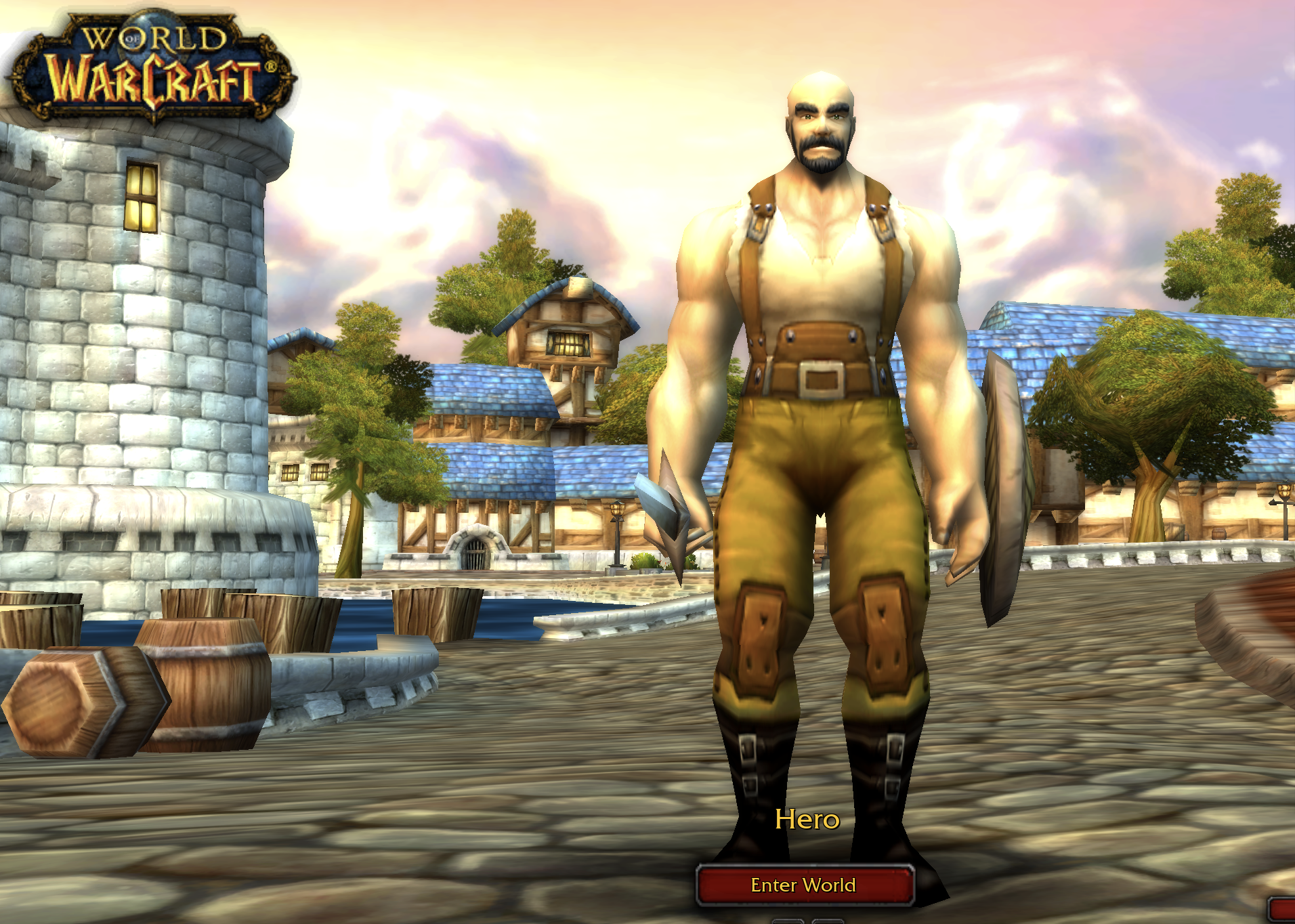
Azeroth Survivors is a free browser survivor roguelike inspired by the world and visual language of World of Warcraft. Choose a hero, enter an arena, keep moving while attacks fire on their own, collect experience, and choose an upgrade whenever you level up. The page above embeds the browser build so you can start a run without creating an account or installing a client.
The first visit has one important caveat: the browser fetches the game world before the first frame appears. That cold load can feel slow, especially on a new device or a cleared cache. Once the files are stored by your browser, later visits should be more direct. If the screen is black, give the first load time to finish before assuming the game is unavailable.
What Is Azeroth Survivors?
Azeroth Survivors uses the familiar survivor formula of automatic attacks, growing enemy pressure, movement, experience collection, and upgrade choices. You are not aiming every attack manually. Instead, the run asks you to read the arena, steer your hero away from danger, collect enough experience to level up, and choose the improvement that best fits the next stretch of the fight.
The World of Warcraft influence gives the project its setting and character flavor, but this page presents it accurately as a fan project rather than an official Blizzard release. Aethus makes and hosts the game through its own site. The embedded version is meant to be an easy way to try the browser client, while an official Windows build is available from the game’s own page for players who prefer an offline option.
How to Play Azeroth Survivors in the Browser
Click inside the game window after it loads so the browser gives it keyboard focus. Choose a hero, enter the world, and use the keyboard to move through the arena. The client is built around WASD movement and number-key choices, while the attack system handles its own firing. Your job is to keep a safe route open, gather experience, and make upgrade decisions before the next wave becomes harder to manage.
The core loop is easy to learn but benefits from deliberate movement. Do not stand still while waiting for an attack to finish. Circle around threats, keep an escape direction available, and collect experience when the route is safe. Each level-up is a chance to improve the run, so read the available options instead of treating every upgrade as interchangeable.
For the most comfortable first session, use a physical keyboard and a current desktop browser. The game client includes touch controls, and players report that it can run on an iPad or an Android device in Chrome or Firefox, but mobile play is less predictable because the game is designed around keyboard movement and number keys.
Why the Survivor Loop Works
The appeal comes from the pressure between movement and build choices. Automatic attacks let you focus on positioning, but they do not remove decision-making. A good route keeps the hero alive, gathers useful experience, and creates enough space for the next upgrade choice. A poor route can leave you surrounded even when the build looked promising a few seconds earlier.
That makes Azeroth Survivors approachable for a short browser session while leaving room to improve through repeated runs. You can learn the arena rhythm first, then pay more attention to how each level-up changes your options. The World of Warcraft-inspired setting provides the atmosphere, while the survivor structure keeps the immediate goal clear: survive the next wave and make the next choice count.
First-Run Tips
- Use a WebGPU browser before troubleshooting the game itself. A compatible browser is a requirement, not an optional enhancement.
- Click the game window before using the keyboard. Without focus, WASD or number-key input may appear to do nothing.
- Expect a slow first visit. The browser may be streaming the world before the first frame; later visits can benefit from the cached files.
- Keep an escape route open. Automatic attacks do the firing, but movement is still your main survival tool.
- Collect experience when the path is safe. Do not walk into a dense enemy group just to reach one nearby pickup.
- Read each upgrade choice. The best option depends on your current position, threats, and the shape of the run so far.
- Treat mobile as a supported experiment, not the ideal setup. A desktop or laptop keyboard is the honest recommendation.
WebGPU, Loading, and Black-Screen Troubleshooting
If the game shows a black screen, start by waiting for the first world download. The browser version does more work on a cold cache than it does on a later visit, and the first load can take about a minute depending on the connection and device. A refresh during that process can make the wait start over.
If waiting does not help, confirm that the browser supports WebGPU and that hardware acceleration is available. Current Chrome and Edge are the clearest desktop choices on Windows, macOS, and Linux. Safari 26 or newer is the supplied target for macOS and iOS. On Android, Chrome or Firefox may work when the device driver supports the client, but mobile hardware can behave differently from desktop hardware.
Content blockers, privacy extensions, blocked storage, and an interrupted connection can also prevent an embedded build from completing its startup. Try the page in a current browser window with extensions temporarily disabled for this site. Reload only after the first load has stopped progressing, and keep the game tab open while the browser finishes caching the world.
Quick Game Details
- Title: Azeroth Survivors
- Genre: Survivor roguelike, action, and arena survival
- Play format: Browser-embedded fan project
- Browser requirement: WebGPU
- Controls: WASD movement and number-key upgrade choices
- Combat: Attacks fire automatically while you move
- Mobile note: Touch controls may work, but desktop keyboard play is recommended
- Creator and host: Aethus, through the game’s own site
- Blizzard relationship: Not affiliated with or endorsed by Blizzard Entertainment
Azeroth Survivors FAQ
Is Azeroth Survivors free?
Yes. The browser version is presented as a free fan project with no account, login, store, or payment details required on this page. The first visit may still take time because the browser needs to fetch the game world before the client can show its first frame.
Do I need to download anything?
Nothing needs to be installed to try the browser version. The client downloads its world into the browser during the first visit and can use the cached files afterwards. An official Windows build exists on the game’s own page if you prefer to play offline.
Does Azeroth Survivors work on mobile?
It may run on a phone or tablet when the mobile browser and device support WebGPU. Touch controls are included, but the experience is built around WASD and number keys, so a desktop or laptop is more comfortable and reliable. Android devices may also lower shader quality to avoid a known driver crash.
Why does the game say too many people are playing?
The browser client runs on a small free server with a daily request limit. When that limit is reached, the game can show a busy notice and may not load until the limit resets. Try again later, outside a busy period, or use the Windows build linked from the developers’ own page.
Is this an official Azeroth Survivors page?
No. This is an independent fan page that embeds the build hosted at wow.aethus.pl. It does not host the game files and is not affiliated with Aethus, Blizzard Entertainment, or World of Warcraft. For updates, builds, and support, follow the developer’s own site and community links.
Independent Fan Page Notice
This page is an independent guide and browser access point for Azeroth Survivors. The game name, World of Warcraft-inspired artwork, code, characters, and other materials belong to their respective creators and rights holders. Blizzard Entertainment and World of Warcraft are not affiliated with or endorsing this fan project. Visit the game’s own site for developer updates and the official Windows option.
For more browser action games, visit the arcade games collection.